
A professional LinkedIn profile picture from one selfie
IDPhotoBy is an AI headshot generator for anyone who needs a polished, professional LinkedIn profile picture without a photo shoot. AI changes your clothing, background and lighting; your features come from your own photo, though AI may change details.
You get one free preview with a watermark. No card needed.
Packages of 4, 12 or 36 photos, from US$9.99.
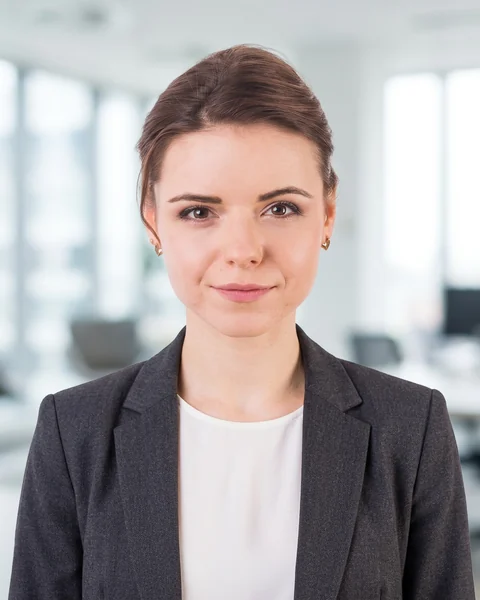 AI-edited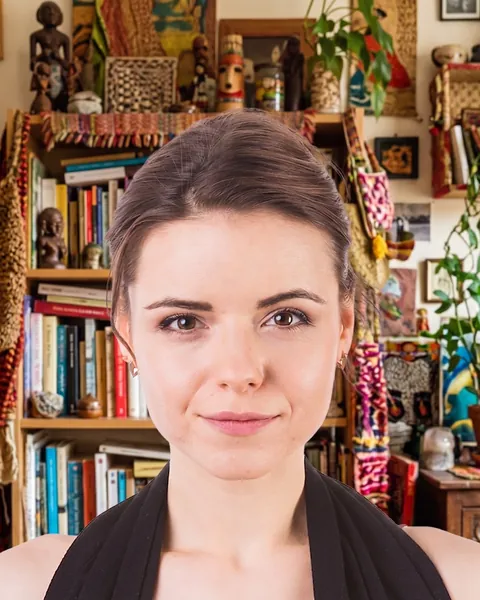
Try another background
Examples made from one selfie
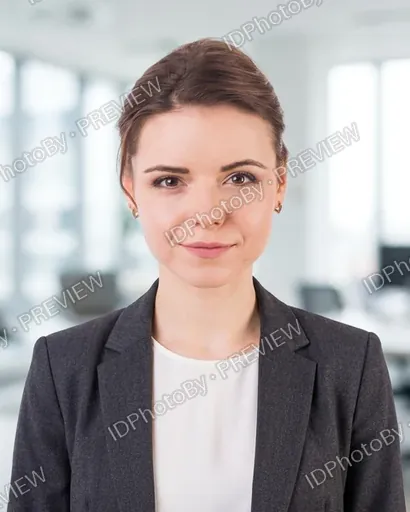
From an everyday selfie to a professional headshot
AI swaps everyday clothes for a suit, a blazer or knitwear, replaces the room behind you with a studio backdrop, an office, a city street or a park, and evens out the lighting. Facial features come from the selfie, but AI may change details.
In short: you upload one selfie and get a free watermarked preview in about a minute. Packages of 4, 12 or 36 photos start from US$9.99, with a one-time payment in your local currency where we support it (otherwise in US dollars). Each photo comes as a JPEG for LinkedIn (800 × 800 px) and for a CV (400 × 500 px), and all photos are deleted automatically: 72 hours after upload if you don’t buy, or 30 days after delivery if you do. Only for adults 18 and over.
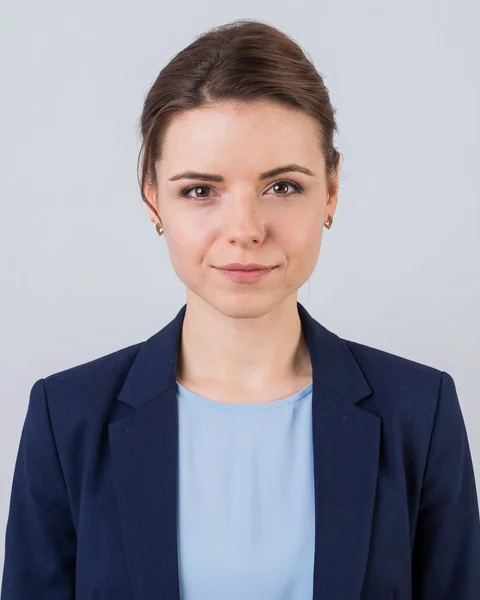
Classic grey · suit
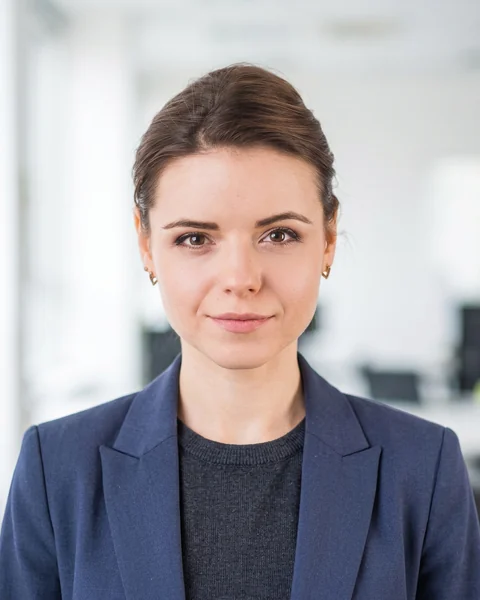
Bright office · smart casual
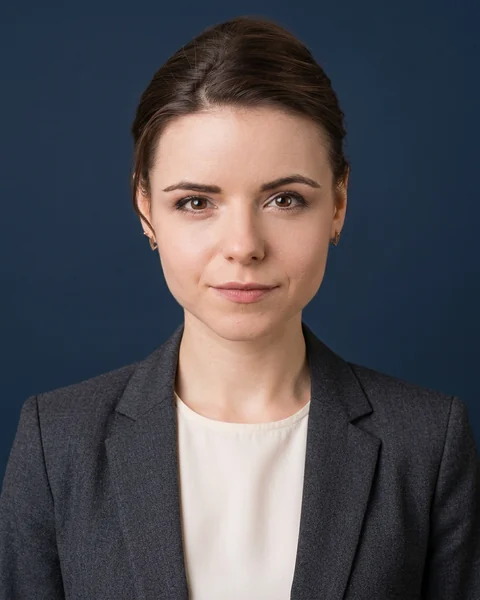
Navy · suit & blouse
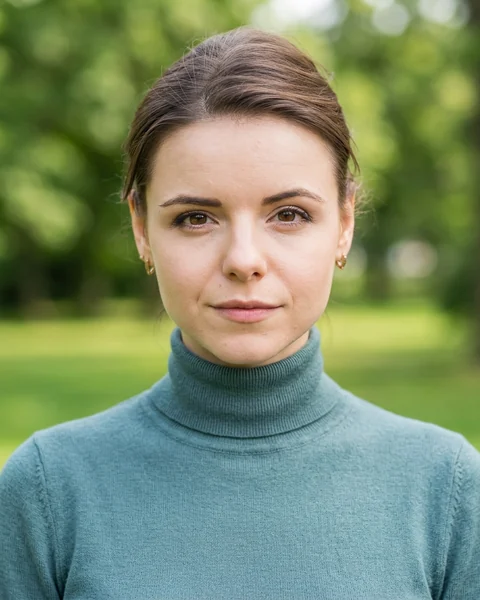
Park · knitwear
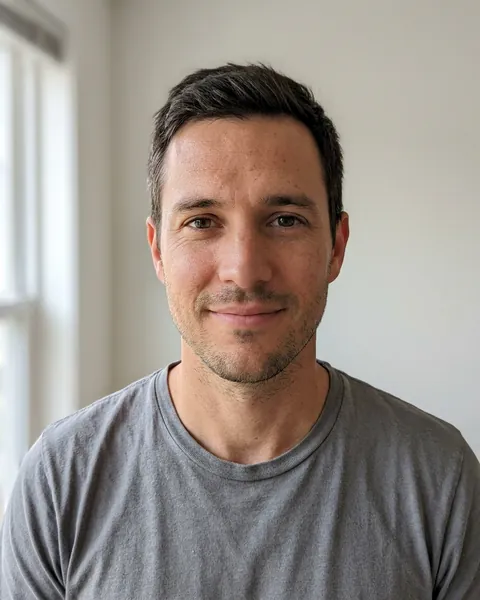

Charcoal · suit & tie
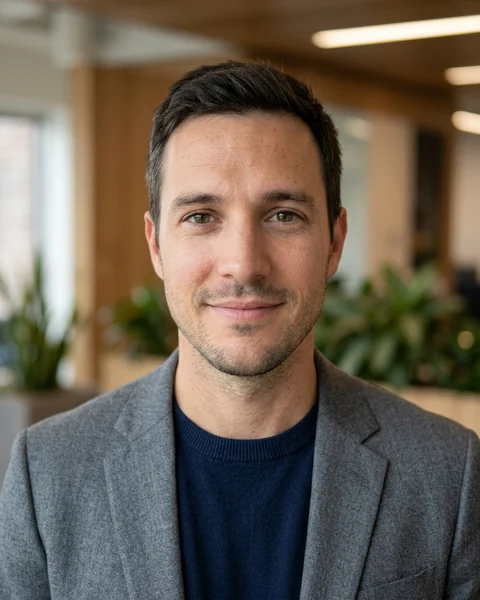
Warm office · smart casual
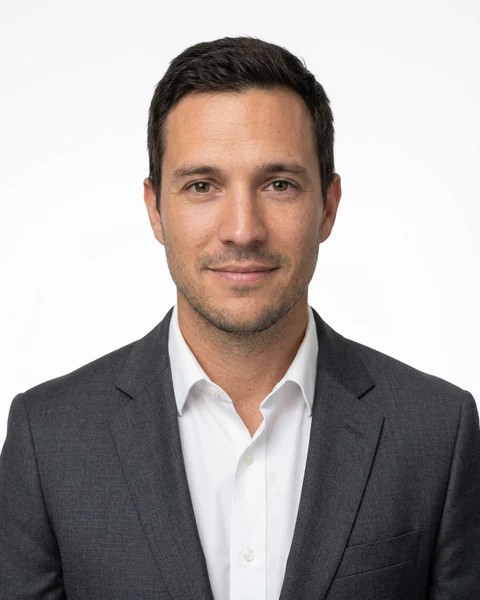
White · suit
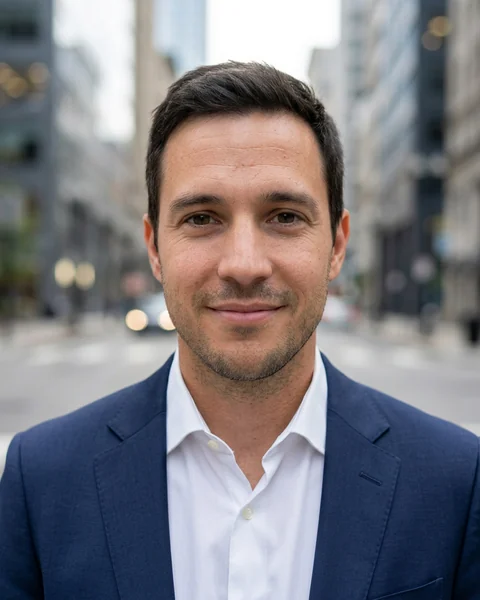
City · suit
The people in the examples on this page don’t exist: their faces were generated by AI. We never show customer photos.
AI-edited photo: clothing, background and lighting are generated by AI (Google Gemini). Your facial features come from your photo, but AI may change details — please check each photo before you use it.
36 LinkedIn headshot styles, each in a men’s and a women’s cut
Studio backdrops, offices, city and park settings, with outfits from a formal suit to knitwear. Choose one for your free preview and add more when you pick a package.
- Use this styleBright office · suit
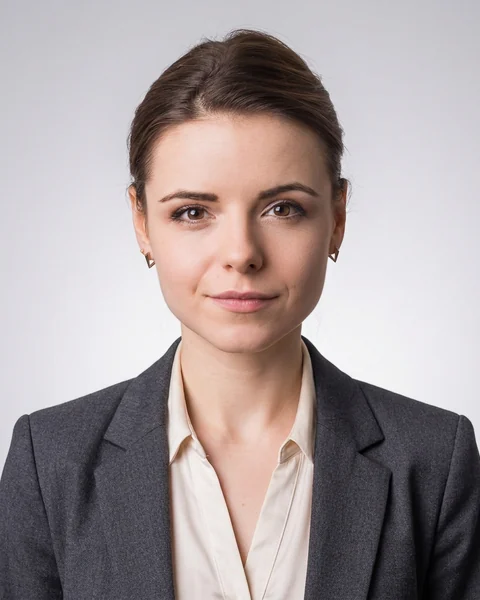 Use this styleGrey gradient · suit
- Use this styleBright office · smart casual
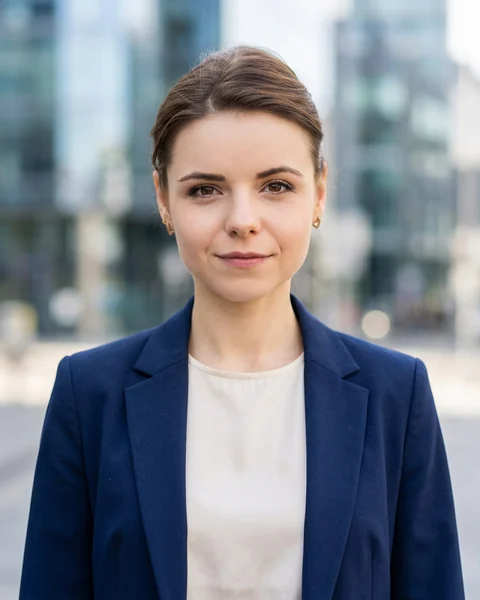 Use this styleCity · suit
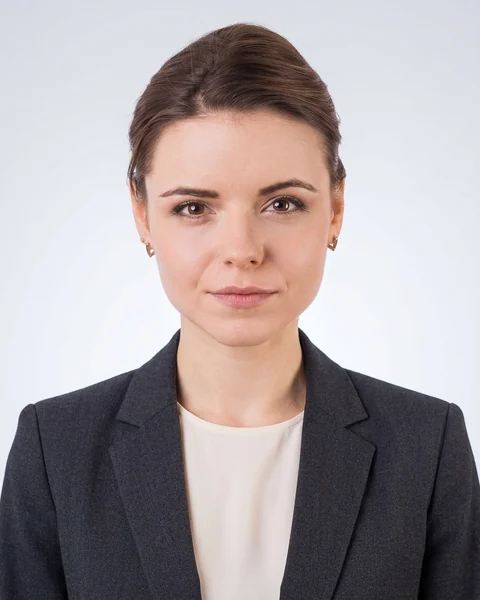 Use this styleGrey gradient · suit & blouse
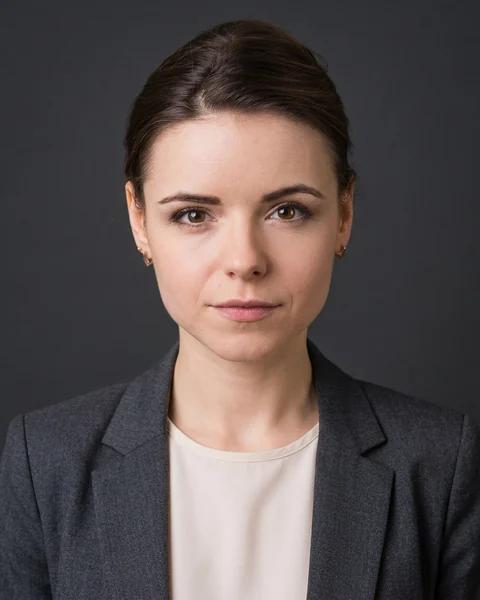 Use this styleCharcoal · suit
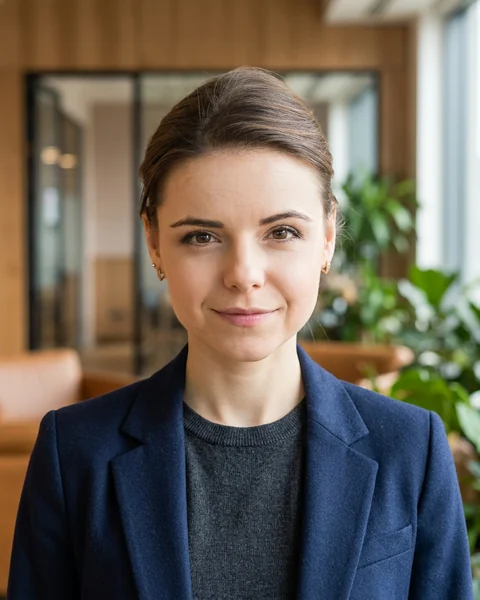 Use this styleWarm office · smart casual
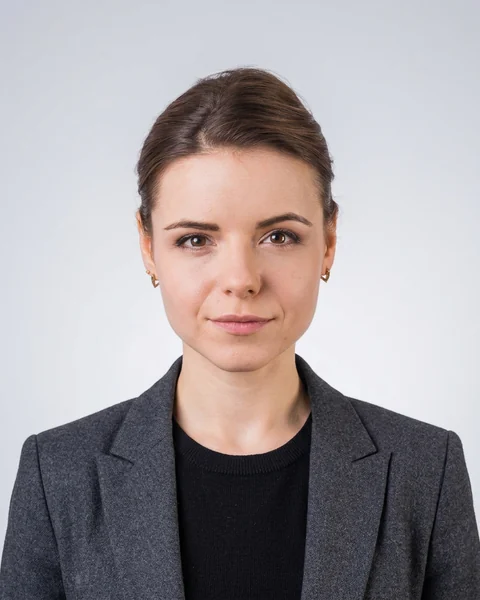 Use this styleGrey gradient · smart casual
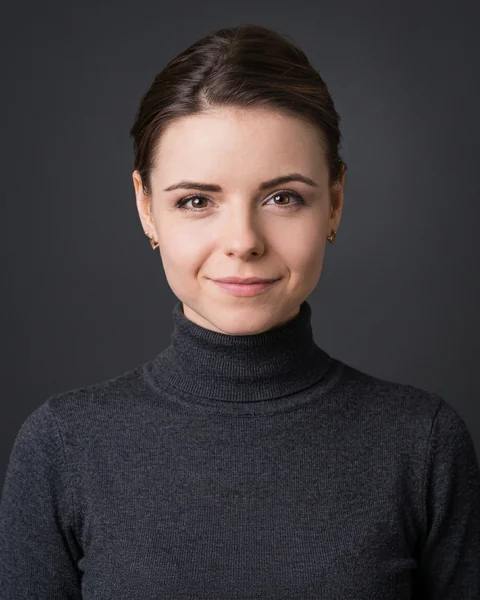 Use this styleCharcoal · knitwear
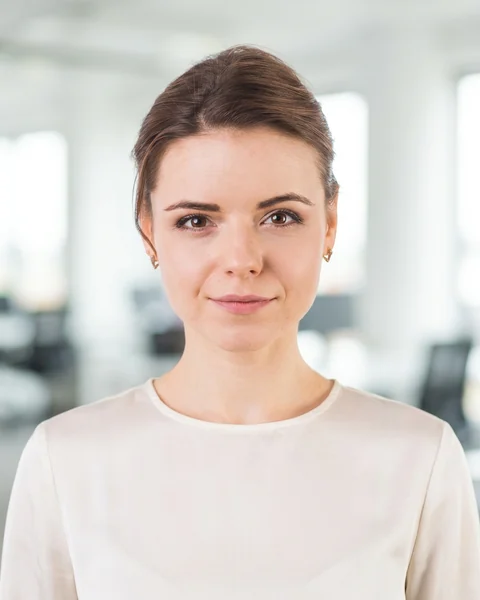 Use this styleBright office · shirt / blouse
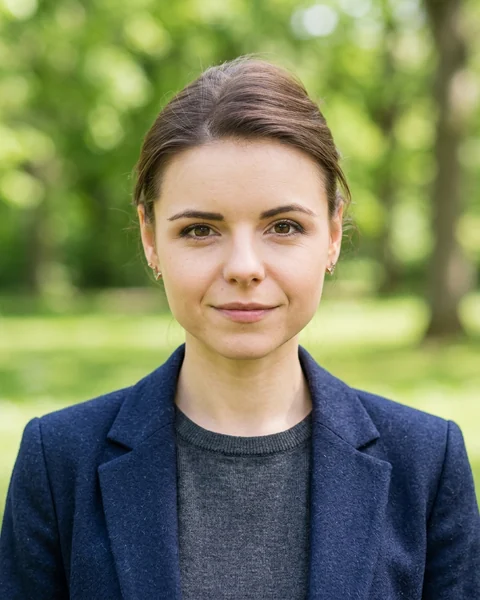 Use this stylePark · smart casual
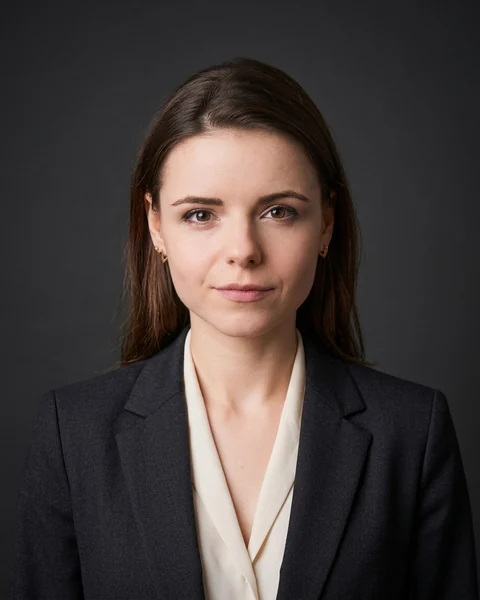 Use this styleCharcoal · suit & blouse
How to make your LinkedIn profile picture with AI
Your selfie Upload one selfie
A sharp phone selfie of you facing the camera, in even light, with only you in the picture. You don’t need a studio or work clothes. Choose the clothing cut and a style for your preview.
Free preview with watermark Check your free preview
It’s fast: in about a minute you’ll see your first photo, with a watermark, so you know whether you like the result before you pay anything.
A package of 4 photos Choose a package and download
Pick 4, 12 or 36 photos and your styles, then pay once. Your preview becomes the first photo of the package, without the watermark.
How long it takes
- Free preview
- about a minute
- 4 photos
- a few minutes
- 12 photos
- up to about 20 minutes
- 36 photos
- up to an hour
After payment, you don’t need to keep the page open: we email you a link when your photos are ready.
What you get
Made from your features
Every photo starts from your own face, though AI may change details. If you turn on the optional likeness check, each photo is compared with your selfie, and one that doesn’t look enough like you is generated again.
Natural retouch, no beauty filter
A gentle skin retouch is applied before the AI step; you can switch it off. We ask the AI for natural skin texture: no airbrushing, no plastic look.
Your background, your clothing
Choose from 36 styles that combine 11 backgrounds (from a white studio to city and park settings) with 6 outfits (from a formal suit to knitwear). Every style comes in a men’s and a women’s cut.
The sizes you need
Each photo comes as a JPEG in four sizes: LinkedIn 800 × 800 px, CV 400 × 500 px, 45 × 60 mm for print and the full size of 928 × 1152 px.
Regenerations included
Not happy with a photo? Every package includes regenerations: each one creates a new version in the same style, and you keep both.
Open about AI
Your photos carry machine-readable metadata stating that they were edited with AI, and Google’s invisible SynthID watermark. The photos you download have no visible stamp.
Prices for your AI headshots
Start with the free preview: you choose a package only after you’ve seen it.
4 photos
US$9.99
- 2 regenerations included
- Includes your preview
12 photos
US$21.99
- 4 regenerations included
- Includes your preview
36 photos
US$32.99
- 8 regenerations included
- Includes your preview
One-time payment, no subscription. If you pick a currency here, you pay in it; otherwise you pay in your local currency where we support it, or in US dollars if we don’t. You’ll see the final price before you pay.
What happens to your photos
Read the privacy notice- Your photos are processed by Google (Gemini API, paid tier) on our behalf; this can happen in any country. Google does not use them to train its models and keeps the request and the result for up to 55 days to detect abuse. We store the photos on our servers in the USA and delete them automatically — 72 hours after upload if you don’t buy, or 30 days after delivery if you do.
- After you buy, you can delete everything at once with “Delete my photos now” in your gallery.
- Your photos are never sent through messaging apps or attached to emails: our emails contain only a link.
- We don’t use your photos to train AI models, we don’t sell your data and we don’t publish your photos.
Questions about AI profile pictures for LinkedIn
Anything else? Write to us at [email protected].
Is it OK to use an AI photo as my LinkedIn profile picture?
Yes, as long as the photo still looks like you: LinkedIn’s profile photo guidelines say your photo must reflect your likeness. With IDPhotoBy, AI changes your clothing, background and lighting, and your features come from your selfie, though AI may change details. That’s why you see a free preview first; use only the photos that look like you today.
Will the photos look like me?
Your facial features come from your photo, but AI may change details, so check each photo before you use it. AI changes your clothing, background and lighting. With the optional likeness check, photos that don’t look enough like you are generated again, and you can judge a free preview before you pay anything.
How many selfies do I need?
You need just one selfie. A sharp phone selfie works best: you facing the camera, in even light, with nothing covering your eyes and only you in the picture, ideally showing your head and shoulders with a little space around them. It can be a JPG, PNG or HEIC file of at least 300 px and up to 8 MB. Upload your selfie to start.
What should I wear in my LinkedIn photo?
Dress as you would for work in your industry, from a corporate look to smart casual. For the selfie itself, anything will do: AI dresses you in the outfit of the style you choose. There are 6 outfits: a formal suit (with a tie in the men’s cut), a suit, a light blazer, smart casual, a shirt or blouse, and knitwear, each in a men’s and a women’s cut. Browse the styles.
What makes a good LinkedIn profile picture?
A good LinkedIn profile picture is a recent photo that looks like you, with your face clearly visible, no heavy filters, only you in the picture and a plain, non-distracting background. It is often the first impression recruiters get of you. You can choose from 11 backgrounds: studio backdrops in classic grey, white, light blue, warm neutral, grey gradient, charcoal and navy, a bright or a warm office, a city street or a park. A safe choice is a classic grey studio backdrop; the style gallery shows them all.
How long does it take?
The free preview takes about a minute; after payment, 4 photos take a few minutes, 12 photos up to about 20 minutes and 36 photos up to an hour. Once you’ve paid, you can close the page: we email you a link when your photos are ready. Start with your selfie.
How much does it cost, and is the preview free?
You get one free preview with a watermark; after that, packages of 4, 12 or 36 photos cost from US$9.99, paid once with no subscription. You pay in your local currency where we support it (otherwise in US dollars), or in the currency you pick on this page, and you see the final price before you pay. Compare the packages.
AI headshot or photographer: which is better?
It depends on what you need: choose a photographer if you need an exact likeness in every detail, because AI may change details, and choose AI if you want professional photos from a selfie you already have, without booking a session. A photographer gives you a real photo shoot, with posing and lighting set by a person. With IDPhotoBy, you get a free preview in about a minute, then packages from US$9.99. Try it with your selfie.
Can recruiters tell the photo was made with AI, and should I say so?
They might, and whether you should say so depends on the platform or employer: some ask you to disclose AI editing, so follow their rules, as our terms for AI profile photos also say. AI may change details, so choose photos that look natural and like you. Our photos carry machine-readable metadata stating that they were edited with AI, and Google’s invisible SynthID watermark.
What size is the LinkedIn photo, and which files do I get?
The LinkedIn file is a square JPEG of 800 × 800 px, already cropped to size. Each photo also comes as a CV file of 400 × 500 px, as 45 × 60 mm for print (531 × 709 px) and in the full size of 928 × 1152 px. You can mark favourites and download them, or everything, as a ZIP. Every package includes all these files for each photo; the packages differ in the number of photos and regenerations. Compare the packages.
What if I don’t like a photo?
Every package includes regenerations: 2 with 4 photos, 4 with 12 and 8 with 36. A regeneration creates a new version in the same style, and the previous one stays in your gallery. If a photo can’t be created or fails the likeness check, you get an extra regeneration for it. Details are in the terms for AI profile photos.
Can I use the photos outside LinkedIn?
Yes: you may use the photos for your own personal and professional purposes, for example on your CV, in job applications and on your professional and social media profiles. Using the same photo everywhere makes you easier for your network to recognise. The rights are set out in the terms for AI profile photos.
Should I put a photo on my CV?
In the UK, Ireland, Canada, Australia and Singapore, a photo on a CV usually isn’t expected, so in those countries the photos are best used on LinkedIn and other online profiles. Where a CV photo is common, use the 400 × 500 px file, or the 45 × 60 mm file for print. Make your photos from a selfie.
What happens to my photos?
Your photos are processed by Google (Gemini API, paid tier) on our behalf; this can happen in any country. Google does not use them to train its models and keeps the request and the result for up to 55 days to detect abuse. We store the photos on our servers in the USA and delete them automatically — 72 hours after upload if you don’t buy, or 30 days after delivery if you do. Read the privacy notice for AI profile photos.
Try it with one selfie
Upload a photo, see your free preview in about a minute, then decide.
Upload a selfieYou get one free preview with a watermark. No card needed.
LinkedIn is a trademark of LinkedIn Corporation. IDPhotoBy is not affiliated with or endorsed by LinkedIn.