

当サービスの写真は国際的な政府基準を満たしています。
撮影のヒント
柄や家具、他の人が写り込まない、無地で明るい色の壁を背景に使用してください。

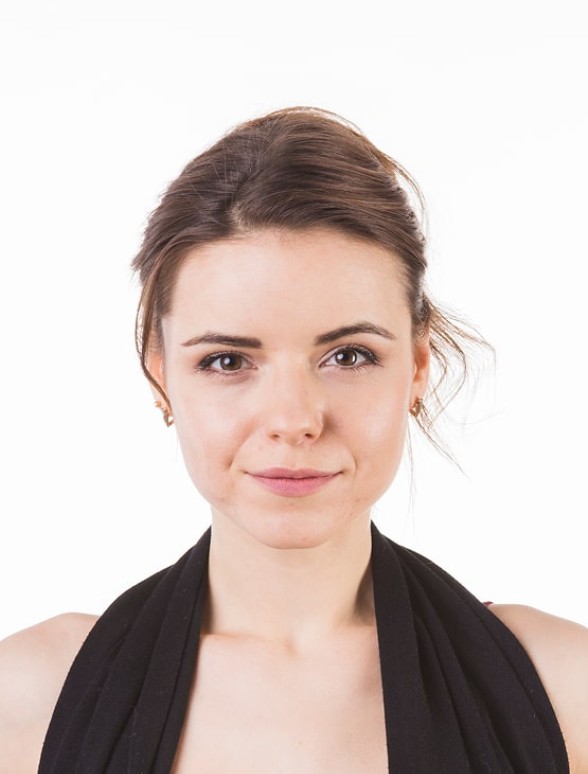
承認済み


却下

ユーザーからのフィードバック
So quick and easy to use!
I uploaded a selfie from my phone and had a perfect passport photo in minutes. Way better than going to a photo booth. I needed a biometric photo for my passport renewal and decided to give idphotoby.ai a try instead of going to a studio.

Tyrone Kassulke
Fast, user-friendly, and reliable
It fixed the background, lighting, and even checked the official requirements. My photo was approved without any issues!

Arlene Kemmer
Professional-quality photos
I used idphotoby.ai for my child’s passport photo, which is usually a nightmare to get right. With this tool, I just uploaded a picture from my phone, and the software handled everything — The final image looked like it came from a studio.

Armando Deckow
Great service and results
I had a small issue with the background color not being accepted by my local ID office. The second version was accepted with no issues. It's rare to find this level of responsiveness and professionalism from an online tool.

Sherman Watsica
Fast, user-friendly, and reliable
It fixed the background, lighting, and even checked the official requirements. My photo was approved without any issues!
Arlene Kemmer
サービスに満足していますか?
サービスの品質についてお聞かせください。
お客様からのフィードバックをお待ちしています。
